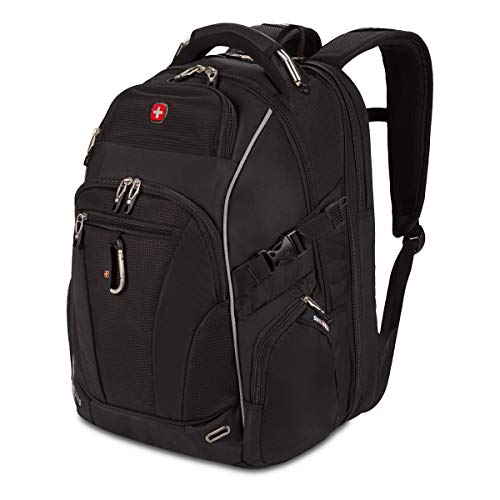
“TSA-friendly” usually points shoppers toward features intended to make airport screening easier, especially laptop access. Treat it as a description to investigate, not proof that the bag or everything inside it has been approved for your journey.
Ask what the feature actually does
A product may open flat, separate the laptop from other contents or provide a quick-access device compartment. Those are physical design features you can evaluate. A vague badge without an explanation gives you much less useful information.
Look at the opening path. Can the relevant section lie where instructed without a charger pouch sitting on top of the device? Can you remove the laptop quickly if asked? The ability to adapt matters more than expecting one specific screening procedure.
The checkpoint decides the procedure
Follow the instructions in the lane you are using. Equipment and screening arrangements can differ, and staff may ask you to remove an item even if a bag’s marketing suggests otherwise. Buying a particular backpack cannot guarantee that the computer stays inside.
This is also why a lay-flat design is not automatically a faster design for every traveler. If it requires opening several buckles or spreading the entire clothing compartment, an ordinary separate laptop zipper may be easier when removal is requested.
Airline size is a separate subject
The security checkpoint and the airline answer different questions. A bag can be easy to screen while exceeding the personal-item allowance on your ticket. The phrase TSA-friendly supplies no useful substitute for exterior measurements.
Choose the intended cabin category first. Then compare the documented model dimensions with your flight. Only after those checks should checkpoint access influence the ranking of otherwise suitable backpacks.
Pack so the useful feature remains usable
A separate laptop compartment can become difficult to open if the main cavity is overfilled. Thick clothing pressed behind the sleeve can also make replacement awkward. Test access with the actual load, not the empty bag in a product demonstration.
Keep cables in a compact pouch rather than tangled around the device. Avoid storing unrelated small objects where they spill when the section opens. A tidy arrangement helps you respond to instructions without spreading belongings across the screening area.
Security-friendly is not security-proof
The bag’s design does not decide whether a particular tool, liquid or battery is allowed. Use the official item guidance for the object itself. A protective compartment is useful for organization, but it does not create an exemption.
When comparing products, prefer specific language: separate laptop opening, full-opening device panel, accessible liquid pouch. Those descriptions tell you what you are buying without promising an outcome the manufacturer cannot control.
If you rarely travel with a laptop, you may gain more from a light, comfortable bag with simple organization than from a complicated screening panel. Match the feature to your routine. The best airport backpack makes the required steps manageable, whichever instructions you receive that day.