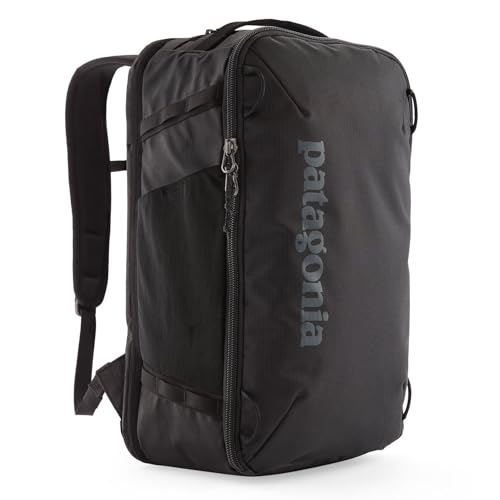
Your carry-on backpack will be screened, and it may also be opened for an additional inspection. Those are different stages. You cannot predict whether a particular bag will be selected. Plan for an inspection that leaves you able to identify your belongings and repack without rushing.
Screening does not always end at the scanner
Canada's screening authority, CATSA, explains that additional screening can follow an alarm or random selection. Its published process includes a partial or full physical search of carry-on baggage and explosive trace detection, commonly described as swabbing. That means selection alone does not establish that you packed a prohibited item.
These are Canadian procedures, not a universal script for every airport. At a connection, follow the instructions of the authority operating that checkpoint. Scanner technology, the lane and the item being examined can affect what staff ask you to remove.
When an officer takes the bag aside
Stay close enough to hear instructions and identify the backpack when asked. Let the officer lead the inspection. Explain where an item is located instead of reaching into the bag without being invited. If a compartment has an unusual opening or a zipper is difficult to use, mention that before someone struggles with it.
Speak up about delicate equipment or belongings that require particular handling. A calm, specific explanation is more helpful than a general request not to touch anything. CATSA describes private-screening options for certain circumstances, including swabbing and sacred or spiritual items; ask staff about the options relevant to you rather than assuming every checkpoint follows the same arrangement.
Keep your attention on the belongings you have already retrieved as well as the bag being inspected. If traveling with someone, agree who will keep the cleared items together while you respond to the officer. Avoid dividing documents, phone and computer between unattended trays.
Make the interior easy to understand
A few removable pouches can keep chargers, clothing and small accessories from becoming a loose pile. Give each pouch a clear purpose and avoid wrapping ordinary belongings into several layers of packaging. Organization does not prevent screening, but it can make removal and repacking more manageable.
Leave room around the laptop opening and avoid filling every small gap with loose objects. Keep fragile items in protection that you know how to open. For Canadian enhanced screening, CATSA says selected electronic devices may need to be removed from their covers and powered on; prepare the relevant equipment accordingly.
Repack in a deliberate order
Once the inspection is complete, move to a repacking area if directed. Check the items that would cause the biggest disruption if left behind: travel documents, phone, wallet, laptop, glasses and any essential personal supplies. Then replace the pouches and close each compartment before moving away.
Check that a strap or cable has not been trapped in a zipper. If you removed an external pouch, secure it again and confirm the bag is still manageable. A short pause here is more useful than discovering a missing charger after boarding.
If an item cannot continue through the checkpoint
Ask what options are available before making a decision. CATSA lists possibilities such as checking an eligible item with the airline, taking it back to a vehicle or using an airport mailing service where one exists. Time, baggage acceptance and the item's legal status affect what is possible. Leaving the screening area can mean being screened again on your return.
Treat checkpoint staff's instructions as the immediate next step. A general packing article cannot guarantee an item will pass inspection or that an alternative service will be available at your airport.