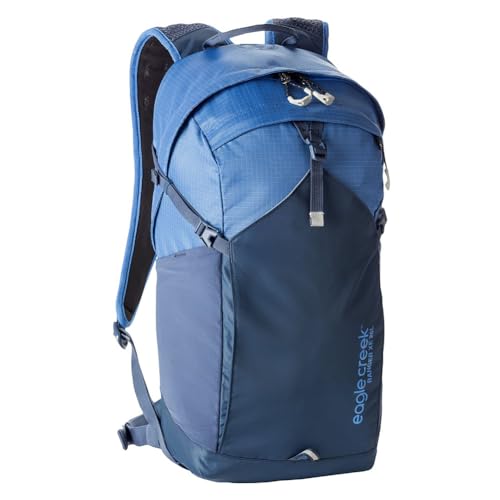
Leaving the laptop at home should change what you ask of a backpack. A permanent padded compartment can become an empty boundary that the rest of your belongings must work around. If you rarely travel with a computer, a simpler interior may be more useful than a design whose most elaborate feature protects an object you do not carry.
Decide whether you need no sleeve or no tech section
A slim internal sleeve and a substantial separate technology compartment are not the same thing. The sleeve may be unobtrusive enough to hold papers or disappear against the back panel. The larger section can reserve depth, add zippers and shape the entire bag.
Inspect an interior view and ask how much of that space remains available for other belongings. You do not have to reject every bag with the word laptop in its description. The goal is to avoid carrying an organization scheme that consistently interferes with your own.
Open space has a practical advantage
A less divided compartment can accept a bulky sweater, a packing cube or an irregularly shaped item without asking it to conform to a fixed pocket. This is useful when your trips vary. It also makes it easier to see what is actually taking up the room.
You will still need a way to manage loose essentials. A compact pouch for cables and another for toiletries may be enough. Compare their combined space with the internal organization you are removing, so that simplification does not quietly become a larger accessory collection.
An open bag is especially appealing when you prefer to unpack completely at a destination. You can remove the clothing in a few groups and use the backpack for the day. Permanent organizers can be convenient, but they are not required for that routine.
Occasional laptop trips need a separate plan
If you sometimes carry a computer, a removable protective sleeve may preserve flexibility. Measure both the sleeve and the opening through which it must pass. A laptop-free design does not mean the device can safely travel loose among hard objects.
Be honest about frequency. If work equipment accompanies nearly every trip, a dedicated section may make more sense after all. This guide is most useful for travelers whose normal load genuinely consists of clothing, personal items and perhaps a small tablet or book.
Keep structure where it serves a purpose
Removing a technology section does not mean every other form of structure is unnecessary. A back panel can still help keep awkward contents from pressing against you, and appropriate straps still matter. Judge those features by their role instead of pursuing the emptiest possible shell.
Compare a flexible layout with a documented tech-oriented design to understand the difference. Patagonia's Mini MLC, for instance, explicitly provides dedicated technology storage. That may be valuable to one traveler and an unnecessary allocation to another.
A useful way to search the catalog
Look for clear interior photography and descriptions of the main compartment rather than relying on a search phrase alone. Product titles often emphasize popular laptop compatibility even when the actual sleeve is minor. Conversely, an apparently simple travel bag can conceal a substantial padded section.
Choose the arrangement that gives your usual belongings the most sensible homes. Verify the selected Amazon capacity and version before buying, since an interior change within a product family can alter exactly the feature you are trying to avoid.